
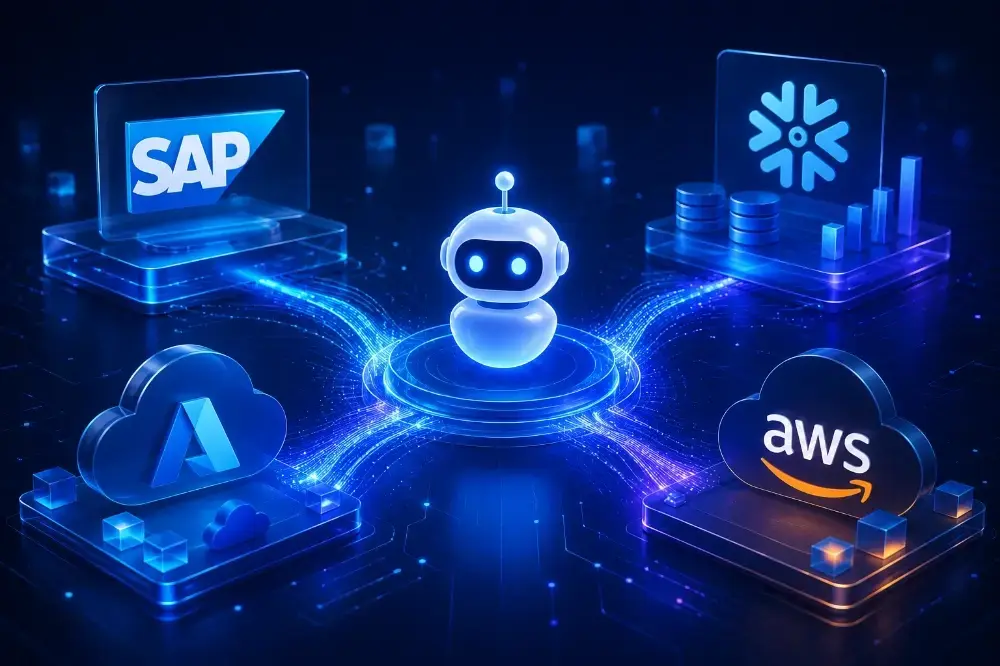

The most common question we get from enterprise technical teams before a project begins is not “can you build an AI agent?” It is: “can your agent actually connect to our systems?”
SAP. Snowflake. Azure. AWS. These are the systems that run enterprise operations. They store the data the AI needs. They are the environments where the AI output must land to be useful. And they are, in almost every organization, the integration challenge that determines whether an AI initiative succeeds in production or stays permanently in pilot.
This post explains exactly how Intellectyx approaches generative AI integration services for these four platforms – the architecture patterns we use, the APIs we work with, the data flow decisions we make, and the governance controls we put in place before any agent touches a production system.
Why Integration Architecture Determines AI Adoption
An AI agent that cannot reliably read from and write to your existing systems is not an enterprise AI agent. It is a prototype.
The gap between prototype and production is almost always an integration problem. The model performs well in testing. The outputs look right. But when the agent needs to pull live inventory data from SAP, query a Snowflake warehouse in real time, trigger an action in Azure Logic Apps, or retrieve documents from an S3 bucket, the seams show – latency spikes, authentication fails, data formats mismatch, and the governance team has no visibility into what the agent accessed and when.
Getting this right requires more than an API connection. It requires an integration architecture designed around three principles: reliability (the connection holds under production load), observability (every data access is logged and traceable), and security (the agent accesses only what it is authorized to access – nothing more).
Our AI agent development engagements are designed around these principles from the first architecture session. Here is what that looks like for each platform.
Integrating AI Agents with SAP
SAP presents two distinct integration surfaces depending on what the agent needs to do.
Transactional data access (SAP ERP / S/4HANA) – When an AI agent needs to read or update ERP data (purchase orders, inventory levels, work orders, financial postings), we use SAP’s OData APIs exposed through the SAP Business Technology Platform (BTP). OData gives us a structured, standards-based API layer that avoids direct database access and keeps all transactions within SAP’s audit framework.
For agents that need to trigger SAP workflows or create records, we use RFC (Remote Function Call) or BAPI (Business Application Programming Interface) calls through the SAP NetWeaver integration layer, wrapping each call in a service abstraction so the agent sends structured JSON instructions rather than calling SAP functions directly. This abstraction layer is important: it means a prompt injection or unexpected model output cannot trigger an unintended SAP transaction.
Document and unstructured data (SAP Document Management / SuccessFactors) – For AI agents that need to reason over SAP-managed documents (contracts, HR records, compliance filings), we use SAP Document Management Service on BTP combined with a retrieval layer. Documents are chunked, embedded, and stored in a vector index. The agent retrieves relevant context through semantic search rather than scanning raw SAP tables.
Governance controls for SAP integration:
- All API calls run under dedicated service accounts with role-limited permissions – agents cannot access data outside their defined scope
- Every SAP API call is logged with the agent’s request context, the data accessed, and the timestamp – feeding directly into Intellectyx’s AgentOps monitoring framework
- Write operations require a human-in-the-loop confirmation step before execution in any workflow where the downstream impact is financial or operational
Integrating AI Agents with Snowflake
Snowflake is where most of our clients store their analytical and operational data – the source of truth the AI agent reasons over. The integration challenge is not access; it is access control at query time.
Query-layer integration – We build AI agents that interact with Snowflake through a structured query layer rather than allowing the agent to write arbitrary SQL. The agent generates a query intent (expressed as structured parameters: table, filters, time range, aggregation), which is translated into validated SQL by an intermediary service before execution. This prevents prompt injection from producing SQL that returns data the agent should not see.
For semantic search over Snowflake data, we use Snowflake Cortex – Snowflake’s native AI service – to embed and query unstructured content stored in Snowflake tables without moving data out of the warehouse. This keeps everything within the existing Snowflake governance boundary (row-level security, column masking, data classification policies) rather than duplicating data into an external vector store.
Real-time data for agent context – For agents that need current operational data (not batch analytics), we use Snowflake Dynamic Tables or Snowflake Streams to maintain a continuously updated view that the agent can query without impacting the main analytical workloads.
Governance controls for Snowflake integration:
- Agents run under Snowflake service accounts mapped to specific roles – they see only the tables and schemas their role permits
- All queries are logged in Snowflake’s Query History, cross-referenced with the agent session ID for full audit traceability
- PII and sensitive columns are masked at the database level – the agent never receives raw sensitive data regardless of what the prompt requests
Integrating AI Agents with Azure
Azure is the cloud platform where a significant portion of our clients run their infrastructure, and it provides a rich integration surface for AI agents across compute, storage, identity, and orchestration.
Azure OpenAI Service – Most of our Azure-deployed agents use Azure OpenAI rather than direct OpenAI API calls. This keeps the LLM inference within the client’s Azure tenant, satisfying data residency and compliance requirements and allowing data loss prevention (DLP) policies to apply to model inputs and outputs.
Azure Data Lake and Blob Storage – For agents that need to retrieve documents, reports, or files, we connect through Azure Blob Storage APIs with Managed Identity authentication – eliminating stored credentials entirely. The agent’s identity is its Azure Managed Identity; it accesses only the containers its identity has been granted permissions on.
Azure Logic Apps and Power Automate – When an AI agent needs to trigger downstream actions (send an approval request, update a record, initiate a workflow), we connect through Azure Logic Apps as the action execution layer. The agent calls a Logic Apps HTTP trigger; the Logic App handles the downstream system interaction. This keeps the agent’s action scope defined and auditable – the agent cannot take actions outside the Logic Apps it has been configured to call.
Azure Cognitive Search – For enterprise knowledge retrieval (policy documents, technical manuals, compliance records), we build RAG (Retrieval-Augmented Generation) pipelines using Azure Cognitive Search as the retrieval layer. Documents are indexed with semantic ranking enabled; the agent retrieves the top-ranked chunks and uses them as grounded context for its responses, with the source documents cited in the output.
Governance controls for Azure integration:
- All agent identities are Azure Managed Identities – no API keys stored in code or configuration
- Azure Monitor and Application Insights capture every agent invocation, input token count, output, and latency – surfaced in the AgentOps dashboard
- Conditional access policies restrict agent service accounts to specific resource groups and deny access from unexpected IP ranges
Integrating AI Agents with AWS
For clients running on AWS, the integration architecture follows the same principles but uses AWS-native services throughout.
Amazon Bedrock – Our AWS-deployed agents use Amazon Bedrock for LLM inference, which keeps model calls within the client’s AWS account and applies existing IAM, VPC, and CloudTrail policies to all model interactions.
Amazon S3 and data lake integration – Agents access documents and structured data through S3 presigned URLs generated at request time, scoped to specific keys, with expiration times that ensure they cannot be reused. For large-scale document retrieval, we use Amazon Kendra or Amazon OpenSearch as the retrieval layer – indexed from S3, queried through the retrieval API, with the agent receiving ranked document chunks rather than direct S3 access.
Amazon RDS and Aurora – For agents that need relational data, we use Amazon RDS Proxy as the connection management layer, with the agent connecting through a dedicated IAM database user with query-only permissions on defined schemas. Read replicas handle agent query load without competing with transactional workloads.
AWS Lambda and Step Functions – Agent actions are executed through Lambda functions triggered via API Gateway. Step Functions orchestrate multi-step agent workflows, providing built-in retry logic, error handling, and execution history – giving the governance team a complete record of every action the agent took and in what sequence.
Governance controls for AWS integration:
- IAM roles follow least-privilege: agents have only the specific S3, RDS, and Lambda permissions their workflow requires
- CloudTrail logs every API call the agent makes – fully queryable and exportable for compliance audits
- AWS Config rules monitor agent service account permissions and alert on any drift from the defined security baseline
The Integration Architecture Pattern Across All Four Platforms
Across SAP, Snowflake, Azure, and AWS, a consistent architecture pattern underlies all of our integrations:
Retrieval layer – The agent never queries source systems directly. A structured retrieval service translates agent requests into validated, permissioned API or query calls, returns formatted results, and logs the interaction.
Action layer – The agent never executes actions in source systems directly. An action service validates the requested action against a defined scope, executes it through the appropriate API, and records the outcome.
Observability layer – Every retrieval and action call is logged with the agent session ID, timestamp, data accessed or action taken, and the model output that triggered it. This feeds into continuous monitoring through Intellectyx’s AgentOps framework – providing real-time visibility into agent behavior across all integrated systems from a single dashboard.
This architecture means that when a compliance team asks “what did the AI agent access last Tuesday?” – the answer is retrievable in under five minutes, fully documented, and auditable.
What Production-Ready Integration Actually Requires
Technical connectivity is not the same as production-ready integration. We see organizations get API connections working and declare the integration complete – then discover in production that they have no visibility into what the agent is doing, no way to revoke access if behavior drifts, and no mechanism to handle the failure cases that only appear under real operational load.
Production-ready integration requires four things beyond the API connection: authentication without stored credentials, query and action scope enforcement at the service layer, full audit logging cross-referenced with agent sessions, and a tested failure path for every integration point.
If you are planning an AI agent deployment that needs to integrate with SAP, Snowflake, Azure, or AWS, the integration architecture decisions need to be made before development begins – not retrofitted after the agent is built. The AI proof of concept phase is the right place to validate integration feasibility against your specific systems and security requirements.
Start with the Right Integration Architecture
Intellectyx designs and builds AI agent integrations for enterprise environments – including SAP, Snowflake, Azure, and AWS deployments across financial services, manufacturing, and healthcare.
For financial services organizations, this integration layer is the backbone of custom financial software development connecting AI agents directly to core banking systems, loan origination platforms, and trading infrastructure without replacing existing systems.
Every engagement starts with an integration architecture review before any development begins – ensuring the connections your agents need are designed for production from day one, not patched together after the fact.
FAQs
Yes, but production integrations should not allow agents to write arbitrary SQL. Best practice is a structured query layer that translates agent requests into validated, permissioned SQL before execution. Snowflake Cortex enables semantic search over Snowflake-stored content without moving data outside the warehouse’s governance boundary.
Azure-deployed agents should use Azure OpenAI Service for LLM inference (keeping model calls within your Azure tenant), Managed Identity for authentication (eliminating stored credentials), Azure Cognitive Search for document retrieval, and Azure Logic Apps for action execution. This architecture applies existing Azure IAM, DLP, and compliance policies to all agent interactions.
AWS-deployed agents use Amazon Bedrock for LLM inference, S3 with presigned URLs for document access, IAM database users with least-privilege permissions for RDS access, and Lambda/Step Functions for action execution. CloudTrail captures all API calls for compliance auditing.
Core governance requirements: identity-based authentication (no stored API keys), scope enforcement at the service layer (agents access only authorized data), full audit logging cross-referenced with agent sessions, and tested failure paths for every integration point. Regulated industries also require data classification enforcement at the database level and human-in-the-loop controls for consequential actions.
Simple single-platform integrations (one agent, one system) typically take 2–4 weeks including architecture, development, and security validation. Multi-platform integrations spanning SAP, Snowflake, and a cloud provider typically take 6–10 weeks as part of a full agent development engagement.
Yes. A common pattern is an agent that retrieves real-time transactional context from SAP (via OData APIs) and combines it with historical analytical context from Snowflake (via Cortex or a structured query layer) to reason over both before taking action. The integration architecture treats each system connection as an independent, permissioned service – the agent orchestrates across them without direct access to either source system.



![How to Build an Enterprise Knowledge Base for AI Agents [5-Step Guide]](https://www.intellectyx.com/wp-content/uploads/2026/09/enterprise-knowledge-base-methodology-ai-agents-768x432.webp)